Proton Mail: A Deep Dive Into Privacy-First Email
A detailed, practical look at Proton Mail — how its encryption works, what features it offers, and whether it’s right for you.

Email remains one of the most important — and most exposed — parts of our digital lives. It’s where personal conversations, financial information, account logins, and sensitive documents often end up. For many people, the question is no longer whether email should be private, but how that privacy is actually delivered.
Proton Mail positions itself as a privacy-first alternative to mainstream email providers. This deep dive looks at what Proton Mail is, how it works, and who it’s best suited for — without marketing hype.
On this page
What Is Proton Mail?
Proton Mail is an encrypted email service developed by the team behind Proton’s broader privacy ecosystem. Unlike traditional email providers, Proton Mail uses end-to-end encryption to protect message content, meaning emails are encrypted on your device and can only be decrypted by you or the intended recipient.
Proton itself cannot read your messages.
The service is based in Switzerland, where strong privacy laws provide additional legal protections for user data.
How Proton Mail Protects Your Privacy
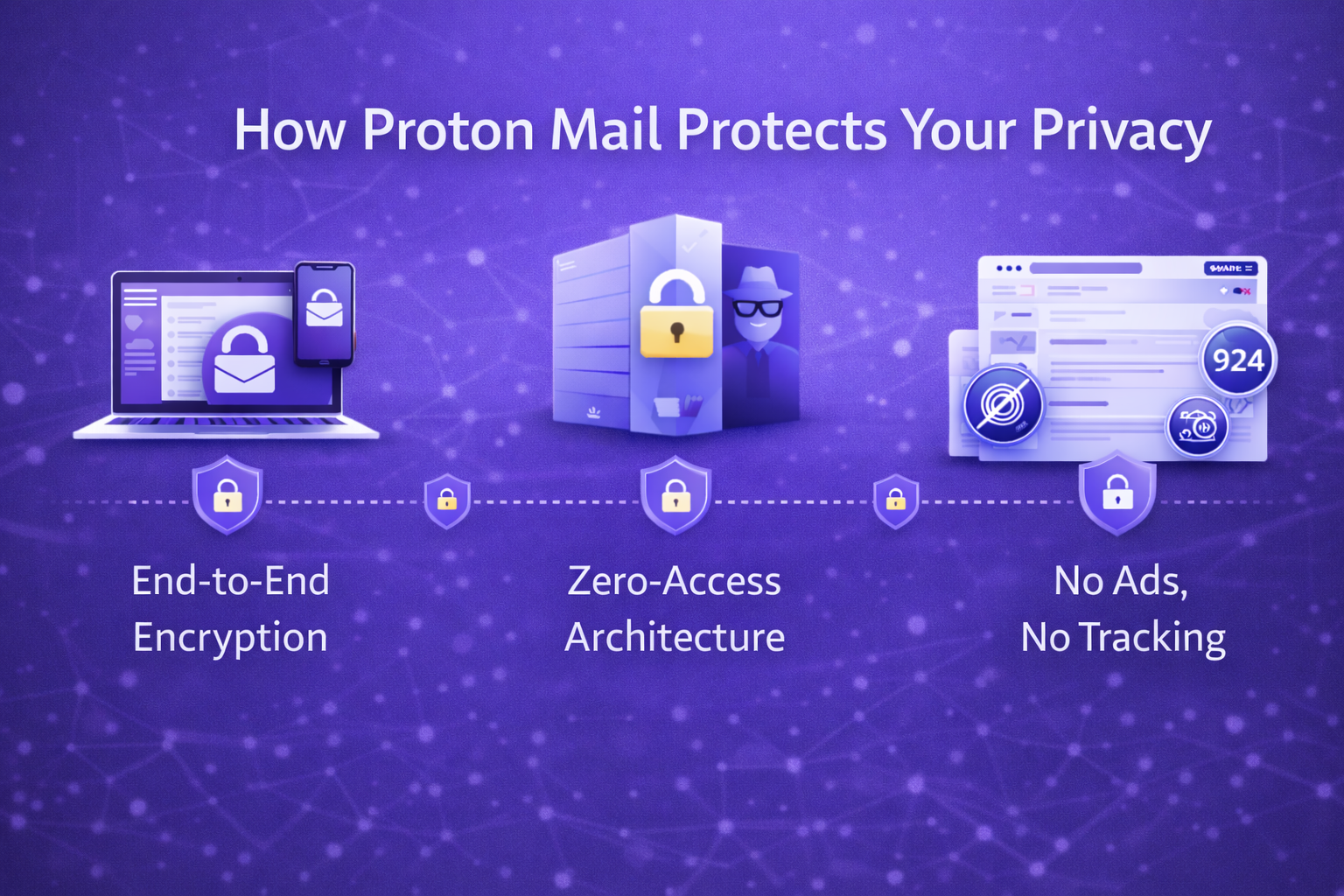
End-to-End Encryption
Emails sent between Proton Mail users are encrypted end-to-end by default. Even Proton cannot access the contents of these messages.
For emails sent to non-Proton users, Proton Mail offers password-protected messages, allowing recipients to read encrypted emails through a secure link.
Zero-Access Architecture
Proton Mail uses a zero-access encryption model. This means:
- Messages are encrypted before they reach Proton’s servers
- Encryption keys are controlled by users, not Proton
- Data stored on Proton’s servers is unreadable to the provider
This approach reduces the risk of surveillance, data mining, and third-party access.
No Ads, No Tracking
Unlike free ad-supported email platforms, Proton Mail does not scan your inbox for advertising or behavioural profiling. Your emails are not used to build marketing profiles or train advertising systems.
Core Features of Proton Mail
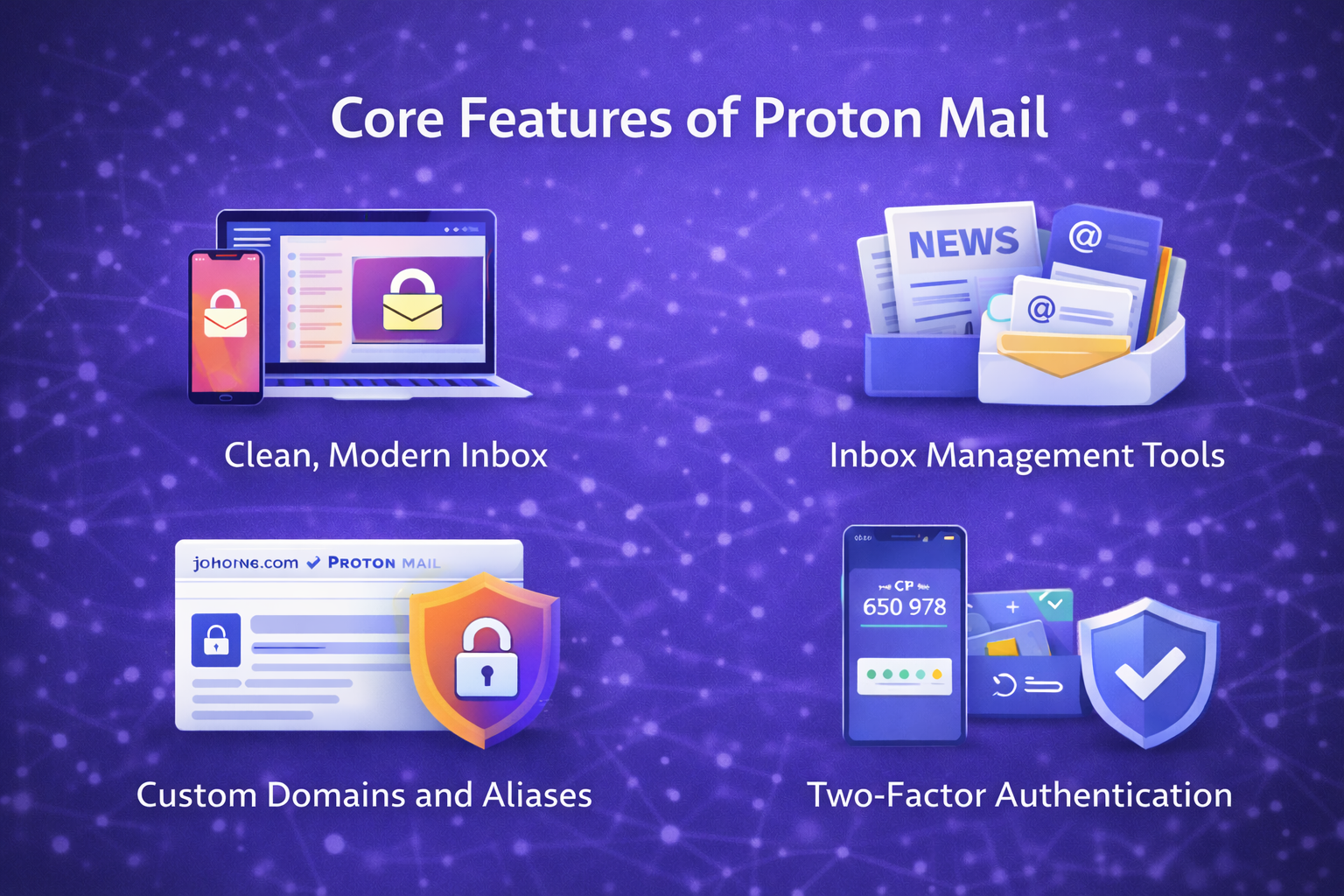
Clean, Modern Inbox
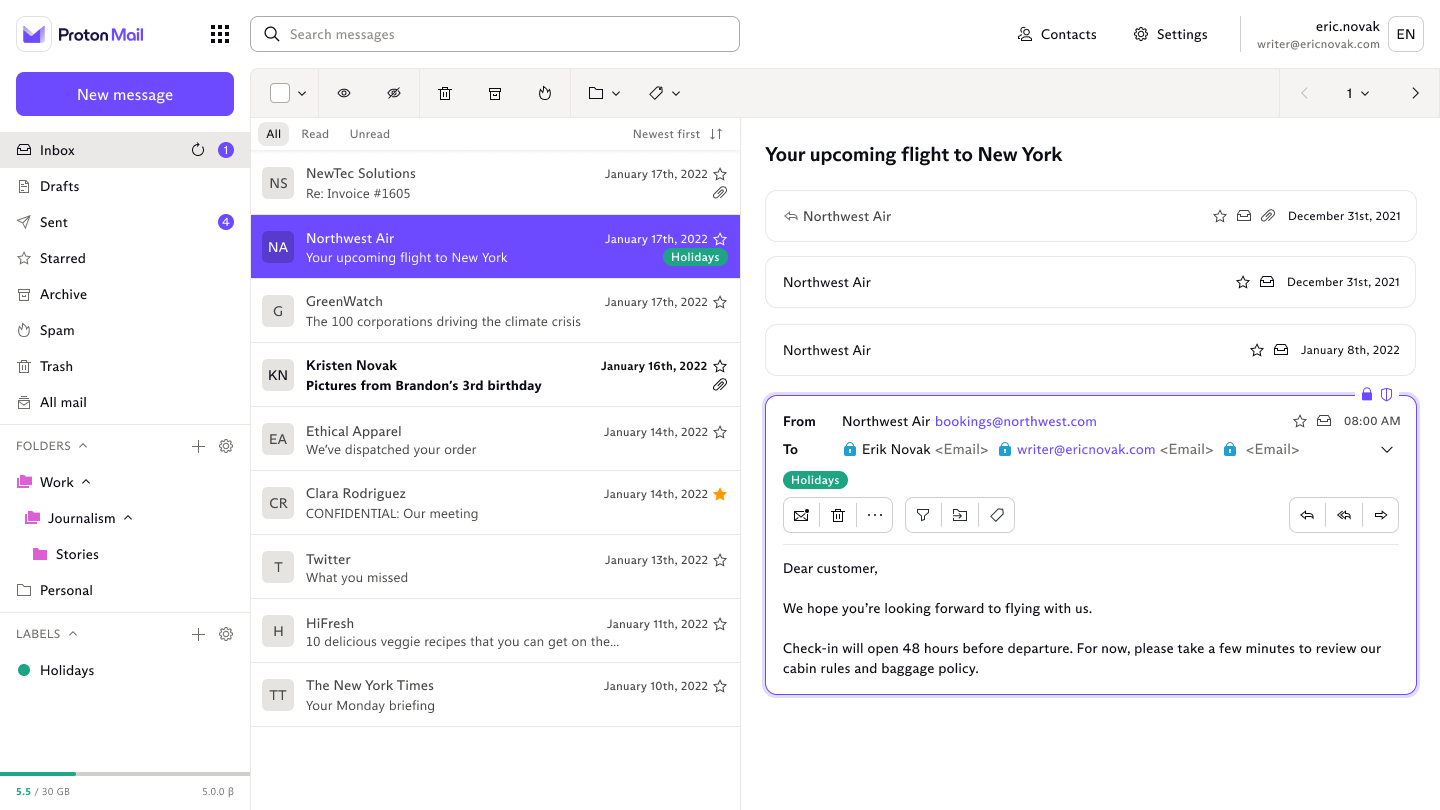
Proton Mail offers a modern interface that feels familiar to users coming from Gmail or Outlook, while keeping privacy at the centre. Features include:
- Labels and folders
- Conversation view
- Advanced search (within encrypted limits)
- Custom filters
Newsletter and Inbox Management Tools
Proton Mail includes tools designed to reduce inbox clutter, such as a dedicated Newsletters view that groups subscription emails separately from personal and work messages. This helps keep important emails visible without deleting useful newsletters.
Custom Domains and Aliases
Paid plans allow you to:
- Use your own email domain
- Create multiple email aliases
- Protect your primary address from exposure
Aliases are particularly useful for sign-ups and online services.
Cross-Platform Apps
Proton Mail is available on:
- Web
- Desktop (Windows, macOS)
- Mobile (iOS, Android)
Your encrypted inbox stays in sync across devices.
Proton Mail Security Enhancements
Two-Factor Authentication
Proton Mail supports multiple two-factor authentication options, including authenticator apps and hardware security keys.
Proton Sentinel (Advanced Protection)
For users who want additional protection, Proton offers Proton Sentinel, an advanced security programme designed to defend against targeted attacks, phishing, and account takeover attempts.
This is particularly relevant for journalists, activists, and anyone at higher risk.
Limitations to Be Aware Of
No email service is perfect, and Proton Mail does come with trade-offs:
- Some advanced search features are limited due to encryption
- Emails to non-Proton users are not end-to-end encrypted by default
- Storage limits vary by plan
- Certain convenience features found in ad-supported platforms may be missing
For many users, these trade-offs are acceptable in exchange for stronger privacy guarantees.
Proton Mail Pricing and Plans
Proton Mail uses a freemium pricing model, with a permanent free tier and several paid plans that unlock additional storage, aliases, and security features. Prices vary slightly by region and billing cycle, but the structure is consistent.
All prices below are approximate and based on annual billing in GBP as of 2026.
Free plan — £0
The free Proton Mail plan is best seen as a privacy-first trial, rather than a long-term primary inbox.
It includes:
- One Proton Mail address
- ~1 GB storage
- End-to-end encryption between Proton users
- Web and mobile app access
Limitations to be aware of:
- No custom domains
- No aliases beyond the main address
- Limited inbox organisation tools
- No advanced account protection features
For light personal use, or for testing Proton’s interface and encryption model, the free plan is genuinely useful. For everyday email, it quickly becomes restrictive.
Proton Mail Plus — ~£3.50–£4 per month
Proton Mail Plus is the plan most individual users choose.
It adds:
- ~15 GB storage
- Multiple email aliases
- Custom domain support
- Advanced filters, folders, and labels
- Priority customer support
At this tier, Proton Mail becomes a practical, long-term email provider rather than just a privacy experiment. Aliases and custom domains alone justify the upgrade for anyone trying to reduce spam or protect their main address.
Proton Unlimited — ~£8–£9 per month
Proton Unlimited bundles Proton Mail with other Proton services, including:
- Proton Drive
- Proton VPN
- Proton Calendar
- Proton Pass
You also get:
- Significantly higher storage limits
- More aliases and domains
- Access to advanced security features
This plan makes sense if you already use — or plan to use — multiple Proton products. If you only want email, it’s usually more than you need.
Business and multi-user plans — from ~£6 per user / month
Proton’s business plans are designed for:
- Small teams
- Organisations handling sensitive communications
- Users who need shared domain management
These plans include administrative controls, user management, and higher limits. They’re less relevant for individual writers or solo users, but useful in regulated or privacy-sensitive environments.
Pricing philosophy: tiers vs simplicity
Proton’s pricing reflects a tiered upgrade model:
- Start free
- Pay more as your needs grow
This contrasts with providers like StartMail, which use a paid-only, all-features-included approach.
Neither is inherently better:
- Proton works well if you value a free entry point and optional upgrades
- Flat-fee services appeal if you prefer predictable costs with no feature gating
Bottom line on pricing
Proton Mail is affordable at the entry paid tier, but its real value appears once you move beyond the free plan. For anyone treating email as a long-term digital identity — rather than a disposable inbox — a paid tier is effectively required.
The decision isn’t really about cost. It’s about whether you prefer gradual upgrades or a simpler, all-in pricing model.
Proton Mail vs Alternatives
Proton Mail sits in a growing group of email providers that position themselves as alternatives to ad-funded platforms. The differences between them aren’t just about features — they’re about business models, defaults, and trade-offs.
Below is how Proton Mail compares to the most common alternatives people consider in 2026.
Proton Mail vs Gmail
Gmail remains the default choice for many people simply because it’s bundled with Google accounts. The contrast with Proton Mail is stark.
- Gmail
- Free, ad-supported
- Inbox scanning for advertising and product optimisation
- Deep integration with Google’s ecosystem
- Strong spam filtering, but limited identity control
- Proton Mail
- Paid-first privacy model
- End-to-end encryption by default
- No ads, no behavioural profiling
- Aliases and encryption built in
Who should choose Proton instead of Gmail?
Anyone who wants their inbox treated as private communication rather than product data.
Proton Mail vs StartMail
StartMail is often compared directly with Proton Mail because both prioritise privacy — but they do so in different ways.
- StartMail
- Paid-only, no permanent free plan
- Unlimited disposable aliases
- Traditional IMAP/SMTP support
- Optional PGP encryption
- Proton Mail
- Free tier available
- Built-in end-to-end encryption
- Native mobile and desktop apps
- Tiered alias and feature limits
Key difference:
StartMail focuses on identity control and flexibility. Proton Mail focuses on encryption by default and ecosystem security.
Neither is “better” — they serve different privacy philosophies.
Proton Mail vs Tutanota
Tutanota (now branded simply as Tuta) is another encrypted email provider with a strong privacy stance.
- Tutanota
- End-to-end encryption across more data types
- Minimalist interface
- Limited IMAP support
- Fewer integrations and third-party compatibility
- Proton Mail
- Broader ecosystem (Mail, Drive, VPN, Pass)
- Better third-party compatibility
- More polished apps
- Easier migration from mainstream providers
Tutanota appeals to users who want maximum encryption with minimal surface area. Proton Mail appeals to those who want privacy without sacrificing usability.
Proton Mail vs Fastmail
Fastmail takes a very different approach: productivity first, privacy second.
- Fastmail
- Paid-only, no ads
- Excellent performance and search
- Powerful rules, calendars, and contacts
- No end-to-end encryption
- Proton Mail
- Strong encryption model
- Slower search on encrypted content
- Privacy over raw productivity speed
Fastmail is ideal if you want a fast, powerful inbox and trust the provider. Proton Mail is better if you want cryptographic privacy guarantees, even if that means trade-offs.
Choosing between them
Proton Mail makes the most sense if you want:
- encryption without configuration
- protection from tracking and profiling
- a long-term private email identity
- modern apps without relying on IMAP
You may prefer an alternative if:
- you want unlimited aliases with simple pricing (StartMail)
- you prioritise speed and workflow over encryption (Fastmail)
- you want maximum encryption with minimal features (Tutanota)
Bottom line
Proton Mail isn’t trying to replace every email provider. It’s designed for people who want privacy as a default, not an add-on — while still feeling familiar enough to use every day.
That balance is what keeps it competitive in 2025.
Proton Mail vs Other Popular Email Providers
| Feature / Provider | Proton Mail | Gmail | StartMail | Tutanota (Tuta) | Fastmail |
|---|---|---|---|---|---|
| Business model | Paid-first, privacy funded | Ad-funded | Paid-only | Paid-first | Paid-only |
| Free plan | Yes | Yes | No | Yes | No |
| Ads & tracking | No | Yes | No | No | No |
| End-to-end encryption | Yes (default) | No | Optional (PGP) | Yes (default) | No |
| Inbox scanning | No | Yes | No | No | No |
| Custom domains | Yes (paid) | Limited | Yes | Yes | Yes |
| Email aliases | Yes (tiered) | Limited | Unlimited | Limited | Limited |
| IMAP / SMTP access | Via Proton Bridge | Yes | Yes | Limited | Yes |
| Search speed | Moderate (encrypted) | Very fast | Fast | Moderate | Very fast |
| Ecosystem tools | Mail, Drive, VPN, Pass | Google suite | Email only | Mail & Calendar | Mail, Calendar, Contacts |
| Best for | Privacy without complexity | Convenience & integration | Alias-heavy privacy | Maximum encryption | Productivity power users |
Who Proton Mail Is Best For
Proton Mail is a strong fit if you:
- Care about email privacy and data protection
- Want an ad-free inbox
- Prefer a European-based service with strong privacy laws
- Are comfortable trading a little convenience for security
It may be less suitable if you rely heavily on deep inbox analytics or ecosystem-specific integrations tied to large ad platforms.
Review Scorecard
| CATEGORY | RATING |
|---|---|
| Privacy & model | ★★★★★ |
| Aliases & identity control | ★★★★☆ |
| UI & usability | ★★★★☆ |
| Encryption | ★★★★★ |
| Pricing value | ★★★★☆ |
| Overall | 4.5 / 5 |
How we score
Scores are based on hands-on use, publicly documented features, and comparative analysis against other modern email providers. Each review reflects editorial judgement rather than automated testing or user-submitted ratings.
Verdict
Proton Mail offers one of the strongest privacy-first email experiences available, combining robust encryption, a transparent security model, and broad platform support. While some advanced features are tied to higher-tier plans, it remains a compelling option for users who prioritise secure and trustworthy email.
Final Thoughts
Proton Mail isn’t trying to be everything to everyone. Instead, it focuses on a clear principle: email privacy by design.
For users who value control over their communications — and are willing to trade some convenience for stronger privacy guarantees — Proton Mail remains one of the most credible alternatives to mainstream email services.
Next steps
Proton Mail offers a free tier and paid plans, which makes it easy to test how the service fits your day-to-day email use. A sensible approach is to start with non-critical messages, explore the default security settings, and then decide whether the workflow and feature set suit your longer-term needs.
If you choose to try Proton Mail and would like to support my work, you can do so using the link below.
Disclosure: This page contains affiliate links. If you choose to sign up using them, I may earn a commission at no extra cost to you.